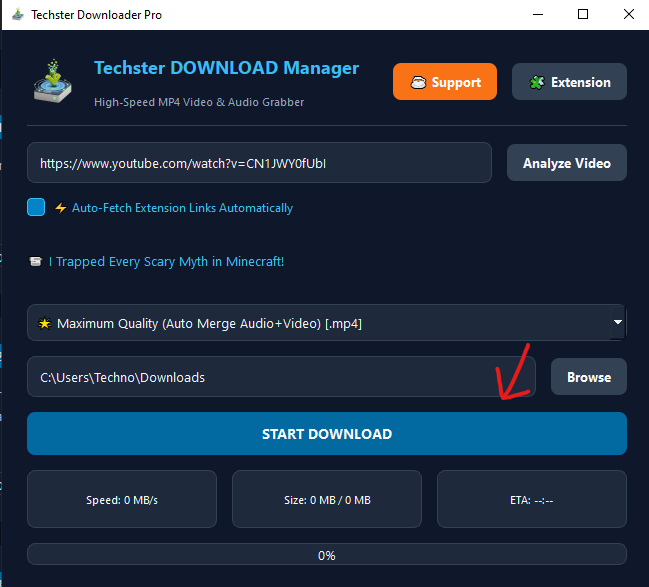
Techster Downloader Pro
The ultimate lightweight tool to grab videos and audios from YouTube in highest resolutions with seamless browser extension linking.
Key Features:
- Max Quality Auto-Merge (Video + Audio)
- One-Click Chrome Extension Integration
- Clean, Modern Dark UI with Real-time Progress Stats
How To Use & Video Demo
🎥 Watch Quick Video Walkthrough!
STEP 1
Copy Any Video or Direct File Link
Open YouTube or any site in your browser and copy the URL. The app also supports direct file URLs ending in .rar, .zip, .exe, or .mp4.

STEP 2
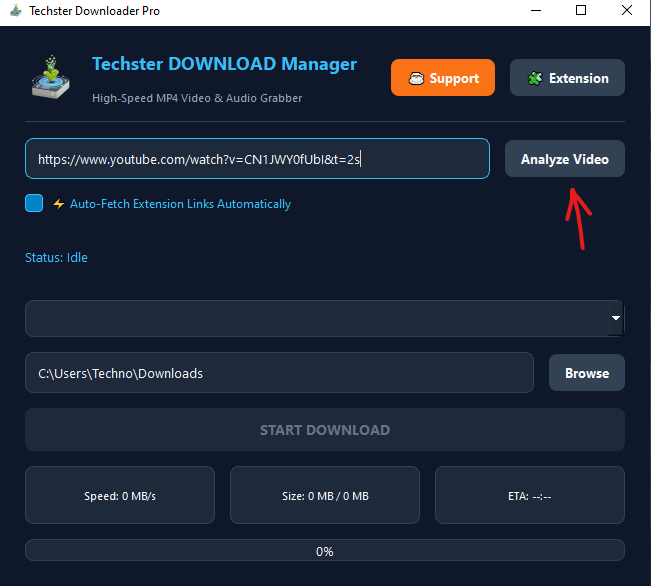
Paste URL or Use Auto Extension Detection
Paste the link into the desktop app and click Analyze Video. If you have installed our Chrome extension, opening any download link automatically triggers the desktop app!
STEP 3
Select Quality Resolution & Download
Select your desired quality (e.g. 1080p, 720p, Max Quality) from the dropdown and hit START DOWNLOAD. Track live speed, size, and ETA progress.